

 Meet DozyBaby Sleep Tracker · Health & Fitness
Find your baby's rhythm, not the average one.
Log sleep in a tap, follow your baby's awake window, and watch their rhythm take shape — on iPhone, iPad and Apple Watch.

your iPhone
How Dozy works
Add your baby
Dozy starts from the typical range, then you tune day and night goals to how your baby actually sleeps.
Tap when they sleep and wake
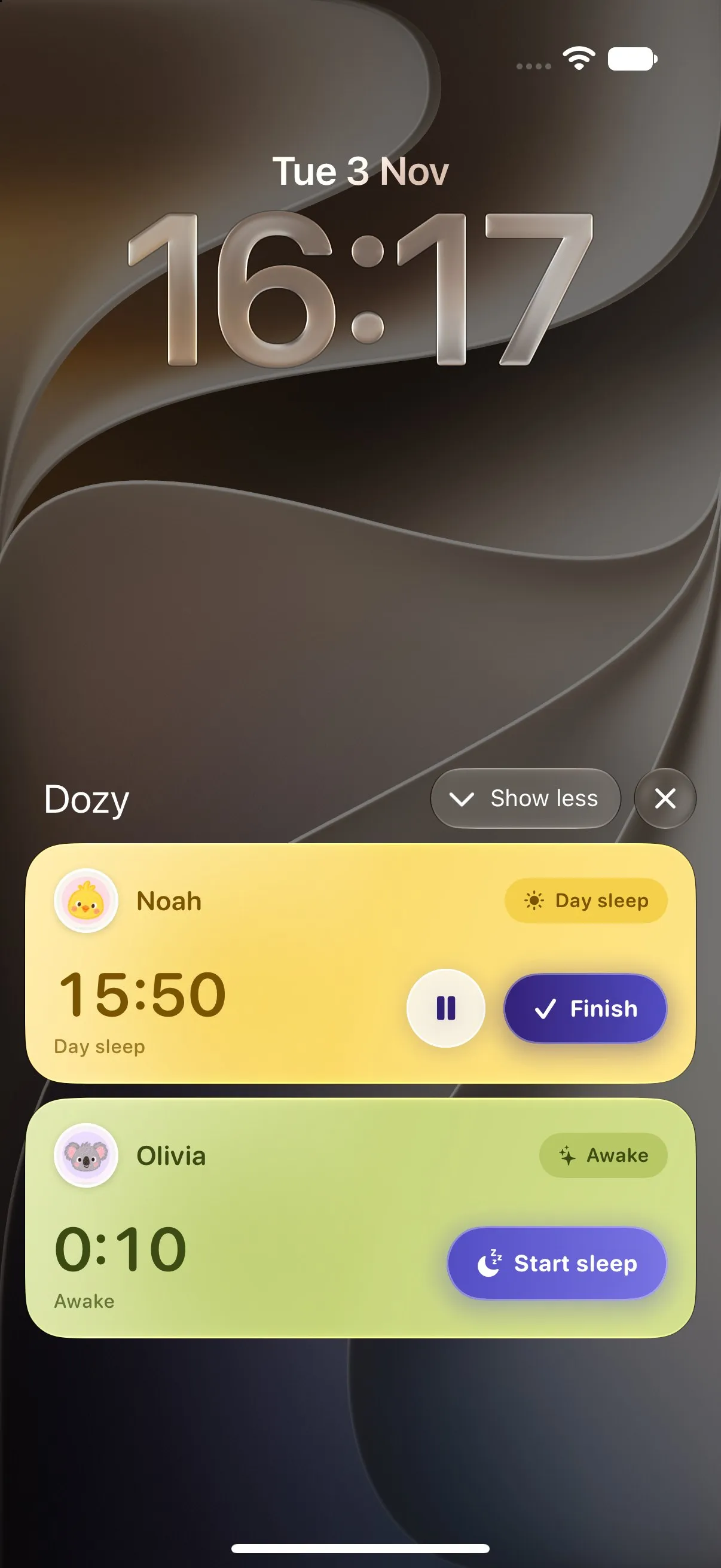
In the app, on the Lock Screen, in the Dynamic Island or on Apple Watch. Forgot? Add it manually later.
Follow the window
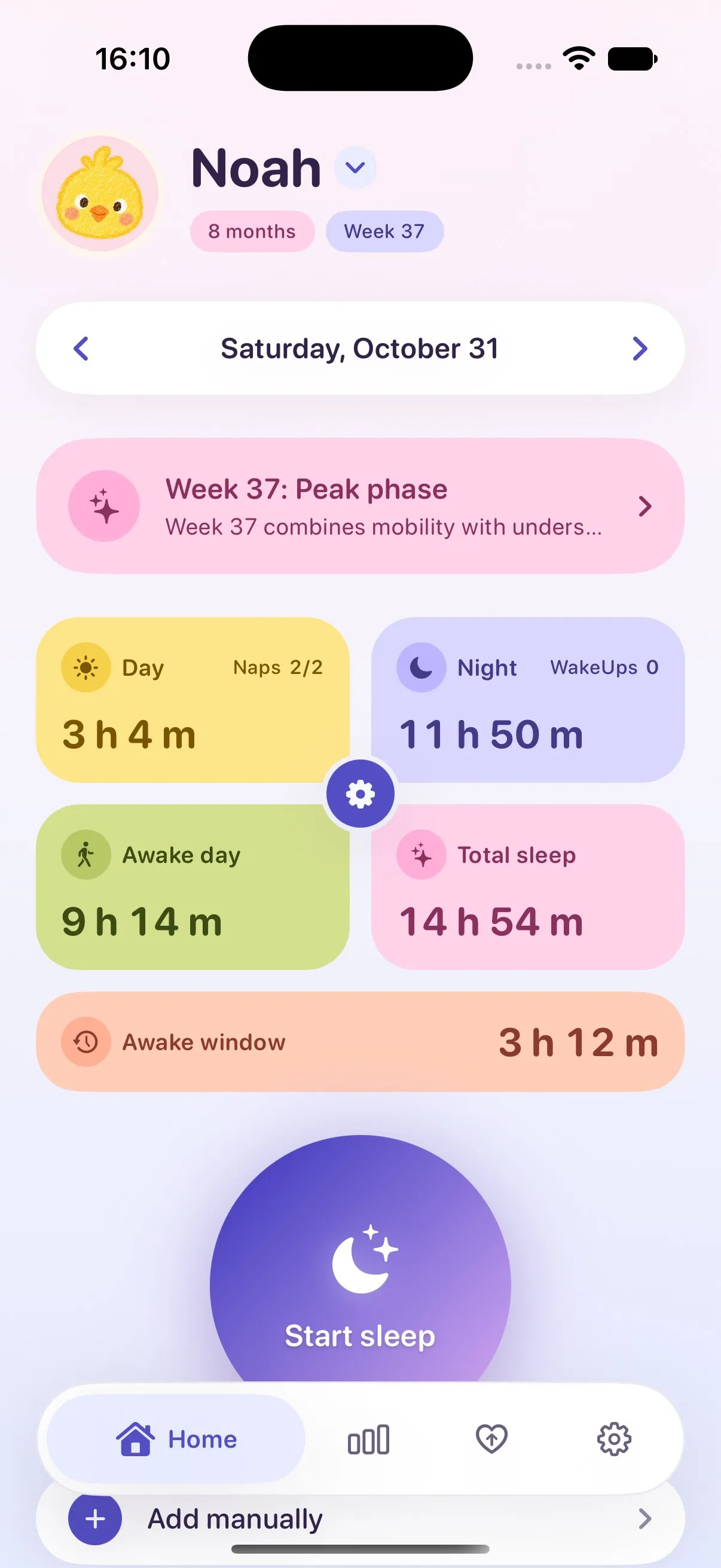
With Premium, see how long your baby has been awake and when to start winding down for the next nap or bedtime.
Know when the next nap is due
Dozy counts how long your baby has been awake and shows the window for the next sleep. No mental math at 6 a.m.
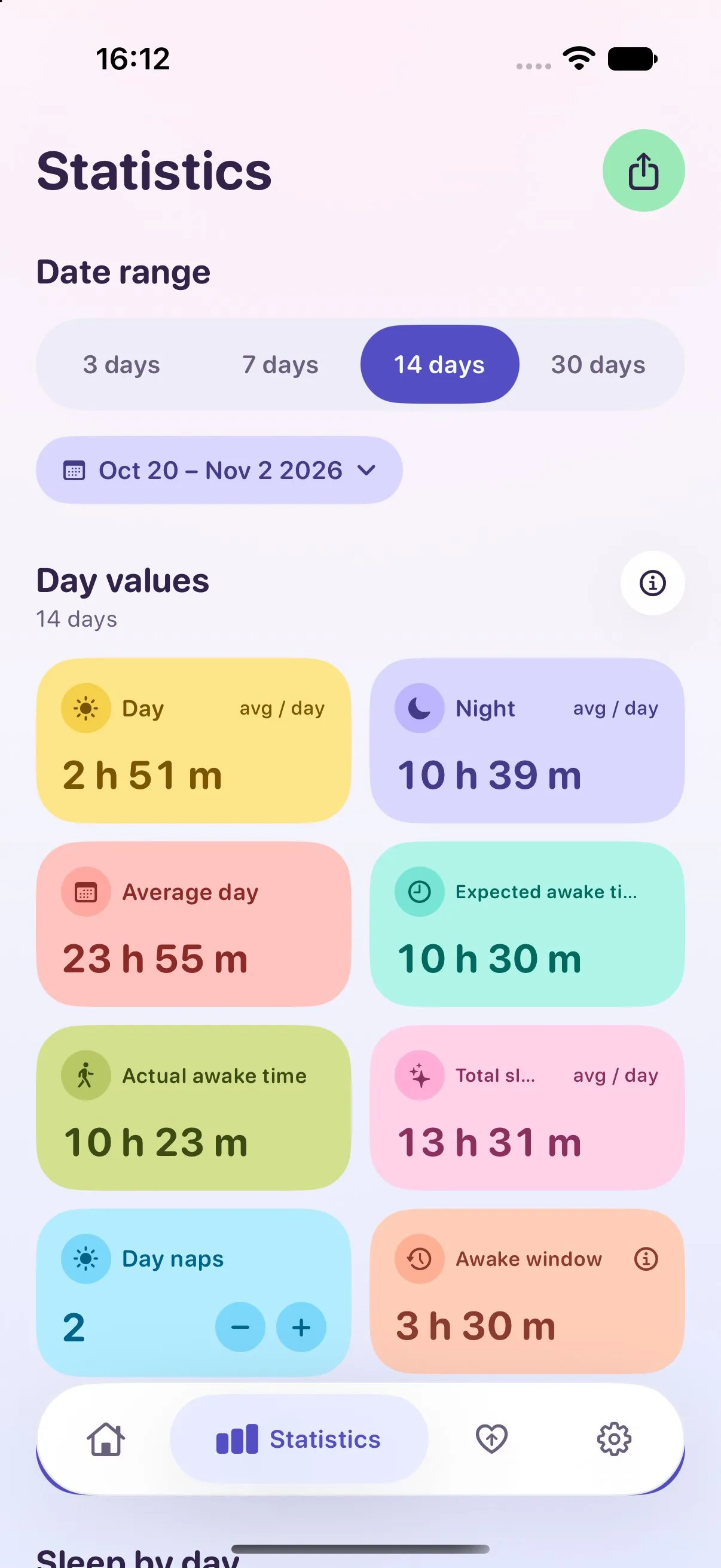
Sleep at a glance
Average day sleep, night sleep, awake time and nap length over 3, 7, 14 or 30 days. Share it with your partner or your pediatrician.
- Day vs. night, side by side
- Expected vs. actual awake time
- Daily and weekly overviews
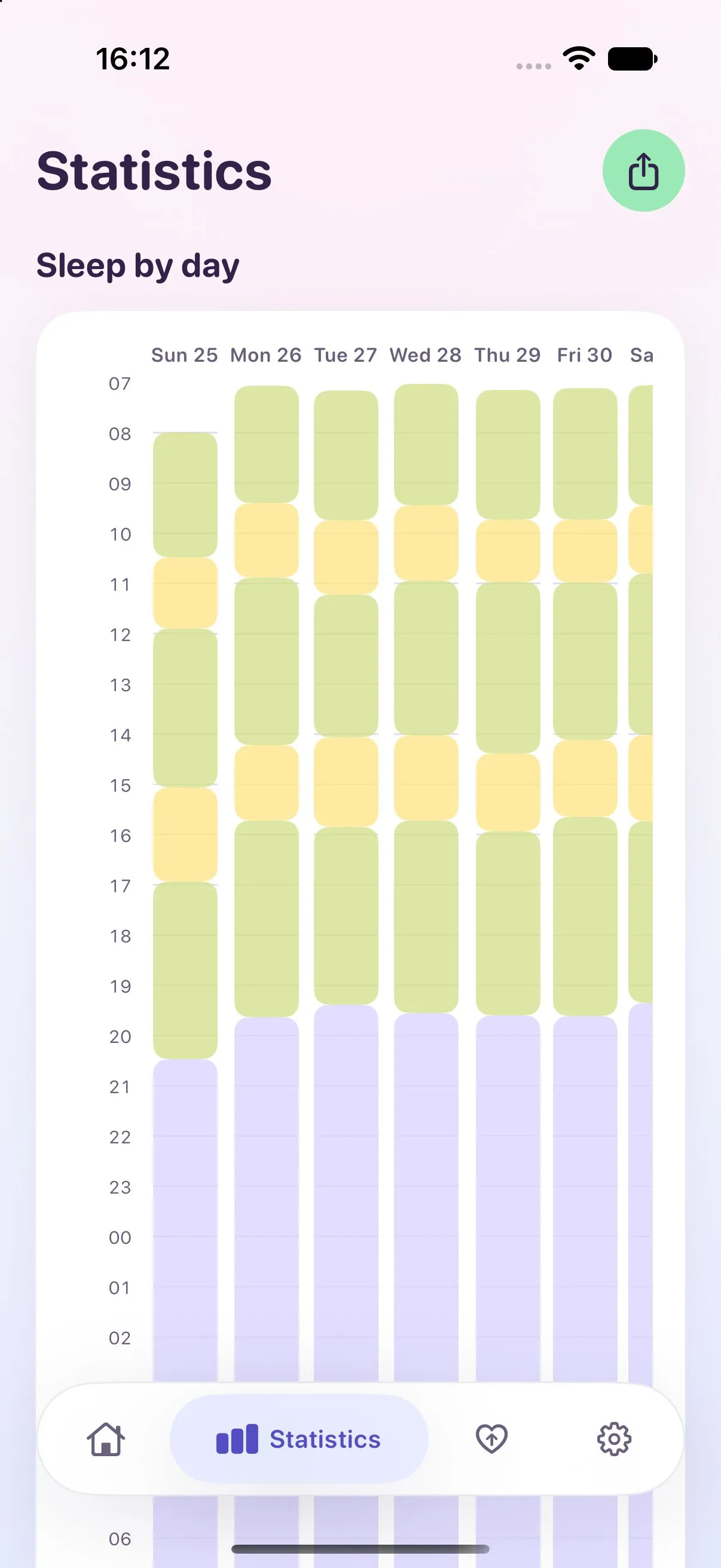
A short nap, or a new pattern?
Every day on one timeline — naps, awake stretches and nights — so you can see a shift before it becomes a rough week.
Goals that fit your baby, not the chart
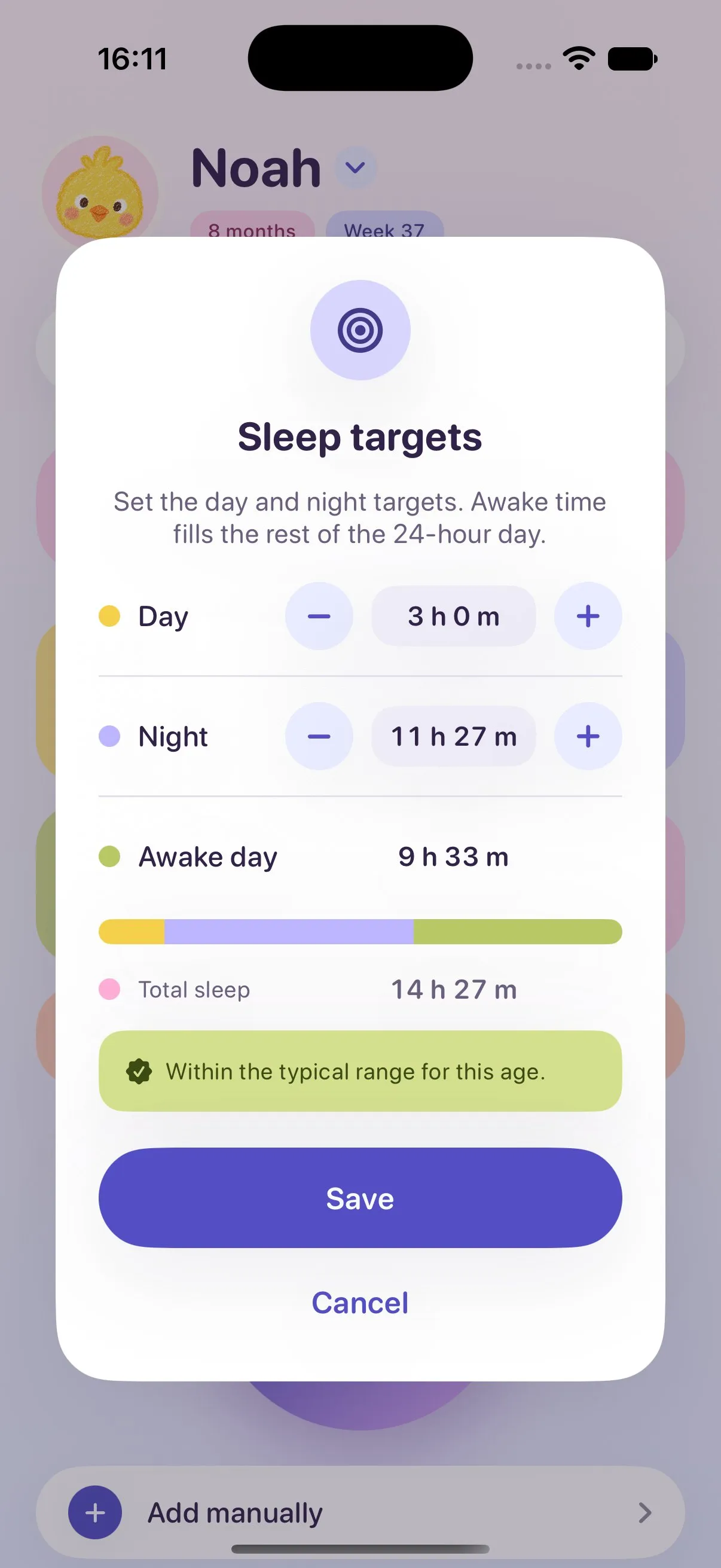
Set day and night targets around how your baby really sleeps. Dozy shows whether they're within the typical range and fills in the rest of the 24 hours.
- Low end, high end — both can be normal
- Change goals anytime as your baby grows
- See the whole 24-hour split at a glance
One tap, in the dark
Live timers on the Lock Screen and in the Dynamic Island. Pause or finish a nap from your wrist without picking up your phone.
Week by week, from week 1 to 78
Know when a growth spurt is likely, so a rough night comes with a reason — and an end in sight.
Made for real nights
- Live Activity & Apple WatchFreeTimers on the Lock Screen, in the Dynamic Island and on your wrist.
- Add sleep laterFreeForgot to tap? Add, pause or fix any sleep by hand.
- 12 languagesFreeEnglish, Spanish, French, German, Ukrainian and seven more.
- Several childrenPremiumSwitch between profiles in a tap — twins and siblings welcome.
- RemindersPremiumA gentle nudge before the window closes.
- Export to CSVPremiumTake your baby’s sleep data to a spreadsheet or your pediatrician.
Track for free. Go Premium to find your baby's rhythm.
Logging sleep, the daily overview, Lock Screen and Apple Watch are free for as long as you like. Premium adds the wake window, statistics and patterns. Try it free for 7 days with the weekly plan.
| What you get | Free | Premium |
|---|---|---|
| Log sleepStart, pause, add and edit by hand | ||
| Today at a glanceDay, night, awake and total sleep, plus the day timeline | ||
| Lock Screen & Apple WatchLive Activity timers | ||
| Sleep goals & settingsDay and night targets for your baby | ||
| ChildrenProfiles in one app | 1 | Several |
| Wake windowWhen the next nap or bedtime is due | Locked | |
| Statistics3, 7, 14 and 30 days, plus “Sleep by day” | — | |
| Day comparisonSpot patterns across days | — | |
| RemindersBefore the next sleep | — | |
| Growth spurt calendarWeek by week, 1 to 78 | — | |
| Export to CSVAll your baby’s sleep data | — |
Premium · Yearly
$59.99/ yearAbout $1.15 a week.Premium · Weekly
$5.99/ week7-day free trial, then $5.99 a week. Cancel any time.Prices in USD; local prices may differ. Payment is charged to your Apple ID. Subscriptions renew automatically unless turned off at least 24 hours before the end of the period — manage them in your iPhone's Settings. The weekly plan's 7-day free trial turns into a paid subscription unless it is turned off at least 24 hours before the trial ends.
Questions
Something else? Write to us or visit Help & support. All answers on the FAQ page.
Is Dozy free?
Yes. Logging sleep, the daily overview, Lock Screen and Apple Watch, sleep goals and one child are free. Premium adds the wake window, statistics, day comparison, reminders, the growth spurt calendar, several children and CSV export — $59.99 a year or $5.99 a week.
Does it work with Apple Watch?
Yes. You can start, pause and finish a sleep from your wrist, and live timers also appear on the Lock Screen and in the Dynamic Island. This is part of the free app.
Can I track twins or siblings?
Yes, with Premium. Add several children and switch between their profiles in a tap. The free app tracks one child.
Which languages does Dozy speak?
Dozy speaks 12 languages: English, Arabic, French, German, Italian, Polish, Portuguese, Romanian, Russian, Spanish, Turkish and Ukrainian.
Does Premium have a free trial?
The weekly plan starts with a 7-day free trial, then costs $5.99 a week. The yearly plan ($59.99 a year) has no free trial. If you don’t want to continue after the trial, turn the subscription off in your iPhone’s Settings at least 24 hours before the trial ends.
How do I cancel Premium?
Subscriptions are managed by Apple. On your iPhone, open Settings, tap your name, then Subscriptions, and choose Dozy. Turn it off at least 24 hours before the end of the current period to avoid the next charge.
Is Dozy medical advice?
No. Dozy and its guides are general information and don't replace advice from your pediatrician. If you're worried about your baby's sleep, breathing, feeding or health, contact a medical professional.
Learn the why behind the app
Sleep Library →
Tonight, let Dozy keep the clock.
your iPhone